
NAS Buyers Guide
Network Attached Storage – Buyer’s Guide
Why Even Bother With a NAS?
Look—your stuff is everywhere. Some files are on your laptop, some on your phone, some buried on that old PC you only fire up once a year. The problem? If that device dies, poof—your files go with it.
That’s where NAS (Network Attached Storage) saves the day. Think of it as a personal “file hub” for your house. All your important documents, photos, music, and videos live in one place, backed up, and accessible from any device—even when you’re away from home if you want.

And yeah, the cloud is fine, but paying monthly fees forever adds up. A NAS is a one-time investment that keeps your data safe and under your control.
What a NAS Can Do For You
- Backups – Save yourself from “oh no” moments when a laptop crashes.
- Personal Cloud – Like Google Drive, but living in your living room (and no monthly bill).
- File Sharing – Everyone in the family can have their own space. Permissions keep kids from wiping out your tax files.
- Streaming & Media – Watch your movies, listen to your music, or share photos across devices. Many NAS boxes can even transcode (convert) files so they play nice with phones and tablets.
- Expand Storage – Need more room later? Pop in bigger drives or add expansion bays.
RAID = Redundancy, Not Magic
NAS boxes often use RAID to keep your data safer. Quick breakdown:
Hot-swap bays: Just slide out the bad drive and pop in a new one. Easy. You may have things on your network you don’t want your kids to have access to. If you live alone, you probably have most of your data spread across multiple devices with no centralized system of organization or backups.
RAID 0: Fast & roomy, but if one drive fails, all is lost. Don’t do this unless you like gambling.
RAID 1: Two drives mirror each other. Cuts storage in half, but if one dies, you’re still good.
That’s where a NAS device comes in. A NAS provides a central storage area to organize, share, and back up your most valuable data, music, photos, and video files. You can use permissions and policies to set up file shares that can only be accessed by certain members of your family.
Once everything is set up, you’ll have peace of mind knowing all your most important data is secure, easy to find, and is being backed up regularly. You’ll be able to find anything you’re looking for from any device in your home and even devices away from home if you so desire.
“A home network can be awesome without a NAS, but any home network with a NAS is an Awesome Home Network.” – WiFi Guy
6 Great NAS Options (2025)
| Model | Bays | RAM | Network | Price (Ballpark) | Best For |
|---|---|---|---|---|---|
| Synology DS224+ | 2 | 2GB DDR4 | 2x 1GbE | $350 | Easy home backup & personal cloud |
| Synology DS223j | 2 | 1GB DDR4 | 1x 1GbE | $200 | Budget-friendly starter NAS |
| QNAP TS-433-4G | 4 | 4GB DDR4 | 1x 2.5GbE + 1x 1GbE | $380 | Power users & light Plex streaming |
| UGREEN NASync DXP4800 Plus | 4 | 8GB DDR5 | 1x 10GbE + 1x 2.5GbE | $650 | Enthusiasts & future-proofing |
| TerraMaster F4-212 | 4 | 2GB DDR4 | 1x 1GbE | $300 | Budget 4-bay for storage expansion |
| BUFFALO LinkStation 210 (2TB included) | 1 | n/a | 1x 1GbE | $150 | Simple, plug-and-play NAS for backups |




NAS Full Reviews
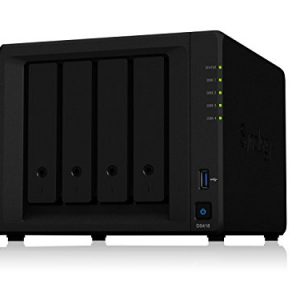


BUFFALO LinkStation 220 NAS Device Review
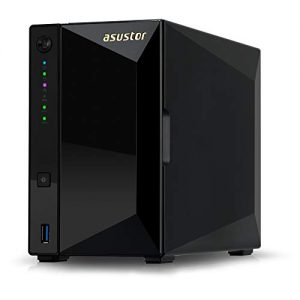
WiFi Guy’s Take 🧢
Here’s the deal:
If you’re serious about your files, go Synology. Their software is rock-solid, easy to use, and they’ve been the gold standard for years. If you’re on a budget but want to get into the NAS game, TerraMaster is a solid value pick.
If you want to go full “future-proof geek,” that UGREEN NASync with 10GbE is a beast—it’s way more power than most homes need, but hey, some folks love overkill.
Personally, I don’t think every household needs a NAS, but if you’ve got a lot of family photos, videos, or even a side business, it’s a lifesaver. Your future self will thank you.
🧠More WiFi Brainiac Tips

WiFi Guy’s World

400-Dollar Smart Home Setup For Renters

pcWRT PW-AX1800 Wi‑Fi 6 VPN Mesh Router — High Security at a Low Price
Routers With High-End Security And Easy VLAN Support
These Wi-Fi 7 Mesh Bullies Crush Dead Zones

Start Your Smart Home Off Right With These 3 Top Smart Hubs
Find Your Perfect VPN Wireless Router — Easy Picks
Serious Security For Your Home Network

Wi-Fi Extender Face-Off: TP-Link RE600X vs Netgear EAX15
Home Network Engineer Course
✅ You’ll Be Able To:
- Fix Wi-Fi and device problems fast – Know what’s wrong and how to handle it
- Speed up your connection – Boost coverage, kill lag, and reduce dropouts
- Lock it down – Protect your network from freeloaders and shady devices
- Upgrade with confidence – Know what gear to get (and what to skip)
- Stop second-guessing yourself – Never be scared of a blinking router again
Last update on 2026-03-14 at 03:03 Affiliate links and Images from Amazon Product Advertising API
