
Low-Latency Gaming and Fast Whole‑Home Wi‑Fi — Powerful, Secure, and Subscription-Free.
Nothing kills a gaming streak faster than sudden lag, spotty streams, or a router that chokes when half your household logs on. If your current Wi‑Fi can’t keep up with multiple devices, cloud backups, and late‑night matches, you end up blaming the ISP instead of the real problem: an underpowered router.
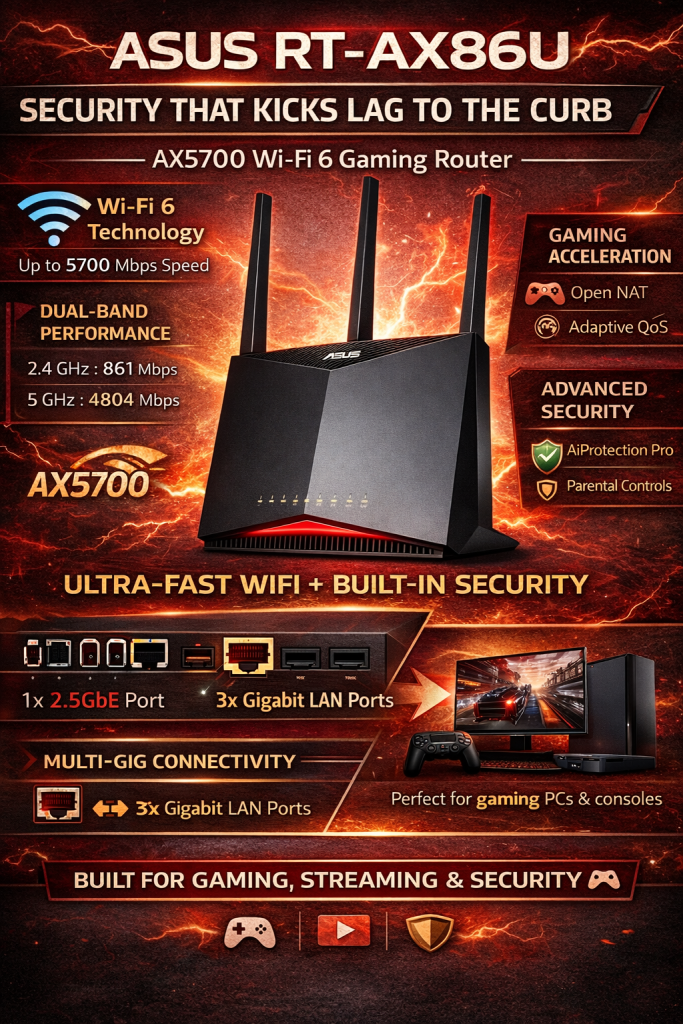
Enter the ASUS RT-AX86U (AX5700). It’s a Wi‑Fi 6 gaming router built for low latency and real‑world speed — 160 MHz support, a 2.5G port, Mobile Game Mode, AiMesh expandability, and subscription‑free security. In short: fewer drops, less fuss, and more playtime without a monthly fee.
ASUS RT-AX86U AX5700 Gaming Router

If you want low-latency gaming and fast household WiFi that actually keeps up, this router delivers the goods. It balances raw wireless throughput and gamer-first features with flexible expandability — just expect a slightly bigger footprint and modest USB performance.
- Throughput & Latency – 9
- Coverage & Range – 8.5
- Gaming Features & QoS – 9.5
- Security & Software – 8
Pros
- Blazing WiFi 6 performance with 160 MHz support for low latency
- 1 x 2.5G port for faster WAN or LAN aggregation
- Mobile Game Mode and robust QoS for lag-free gaming
- AiMesh compatibility for easy expansion and strong firmware support
- Subscription-free security features (Instant Guard, VPN, AiProtection)
Cons
- Relatively large and power-hungry compared with compact routers
- Only one 2.5G multi-gig port — remaining ports are gigabit
- USB storage speeds and NAS features can be inconsistent
ASUS RT-AX86U AX5700 Dual-Band WiFi 6 Gaming Router Review
Quick intro — what this router brings to your home
The ASUS RT-AX86U is aimed squarely at people who want fast, reliable home WiFi with gamer-focused features and expandability. You get WiFi 6 smarts, a single 2.5G multi-gig port to take advantage of faster internet or high-speed LAN devices, and software features that make gaming and parental control straightforward. If you’re upgrading from an older AC router, expect a noticeable jump in responsiveness and capacity.


Key specs at a glance
- Dual-band WiFi 6 (802.11ax) with up to AX5700 combined throughput
- 1 x 2.5G LAN/WAN port, 4 x Gigabit LAN, 1 x Gigabit WAN
- External antennas and internal PCB antenna array
- Mobile Game Mode, Adaptive QoS, AiProtection, Instant Guard, VPN, AiMesh
Real-world performance and what to expect
Performance isn’t just peak Mbps numbers — it’s how the router behaves under load. In a house with streaming, cameras, smart devices and simultaneous gamers, this model tends to keep latency low on the 5 GHz band while handling dozens of devices without frequent drops. The 160 MHz channel support unlocks extra throughput for devices that support it, and the 2.5G port is useful if you have a matching uplink or NAS.
Coverage, antenna layout, and placement tips
The RT-AX86U is built to throw a strong 5 GHz signal, but walls and floors will always matter. Put the router high and central if possible. If you have a larger home, AiMesh lets you add compatible ASUS nodes for a true whole-home mesh without replacing the router.
Gaming features that actually help
Mobile Game Mode prioritizes your phone or selected device to reduce lag and jitter during mobile gaming sessions. Adaptive QoS helps you set bandwidth priorities for consoles, PCs or streaming boxes, while traffic analyzer tools let you see who’s chewing bandwidth. If you stream or game competitively, these features add up to smoother sessions and fewer dropped packets.


Ports, USB, and local storage notes
The board includes one 2.5G multi-gig port (usable as WAN or LAN) plus four standard gigabit LAN ports. That 2.5G port is the star — it makes sense if you have a fast internet plan or a NAS that can take advantage of extra bandwidth. The router also includes USB ports for printers or storage, but don’t expect NAS-level throughput; heavy NAS use is better with a dedicated NAS device.
Security, software, and expandability
AiProtection (powered by Trend Micro) is subscription-free on this model, offering basic intrusion prevention and malicious-site blocking. Instant Guard and built-in VPN options let you secure remote access without third-party fees. The ASUS Router mobile app and the web UI both provide straightforward setup wizards and ongoing firmware updates.
Practical tips — setup & daily use
- Use the ASUS Router app for initial setup and to enable Mobile Game Mode for specific devices.
- If you’ve got a multi-gig internet plan, plug it into the 2.5G port and set the WAN mode accordingly.
- Enable AiProtection features if you want automatic malicious-site blocking and family-safe settings.
- For best 5 GHz performance, turn on 160 MHz only if most of your devices support it; otherwise interference can reduce stability.
Quick port/spec comparison
| Item | What it gives you |
|---|---|
| 2.5G Port | Faster uplink for high-speed internet or NAS |
| 4 x Gigabit LAN | Standard wired devices and consoles |
| USB Ports | Printer sharing, occasional file shares (not NAS-speed) |
Who should buy this router?
You should consider this router if you want a powerful home gaming router that also serves as a reliable all-rounder for smart homes and streaming. It’s especially good if you plan to expand to a mesh network later with AiMesh or if you have a multi-gig internet plan. If you need a tiny router, the physical size and power draw may push you to look elsewhere.
Final thoughts
This model blends raw WiFi 6 capability, gamer-friendly software and a useful multi-gig port into a solid package. You’ll have a comfortable upgrade path via AiMesh and enough advanced options to fine-tune performance without losing the mainstream-friendly setup experience. For most home gamers and power users, it nails the balance between speed, features and ease.
Find the Best Deals


FAQ
Do I need WiFi 6 devices to see benefits from this router?
You don’t need all WiFi 6 devices to notice an improvement. Even older devices benefit indirectly because the router handles traffic more efficiently, reducing congestion. For full speed boosts and lower latency on individual devices, you’ll need WiFi 6-compatible hardware.
Is the 2.5G port worth it for me?
Yes if you have a multi-gig internet plan, a NAS that supports 2.5G, or want a faster LAN link for a gaming PC or switch. If your internet and local devices are all still gigabit, it’s nice future-proofing but not an immediate game-changer.
Can this replace a dedicated mesh system?
You can build a mesh using this router with ASUS AiMesh-compatible nodes. That means you don’t have to buy a separate brand mesh system; you can expand coverage gradually while keeping central control and features.
How do I use Mobile Game Mode effectively?
Enable Mobile Game Mode in the ASUS Router app and select the device(s) you want prioritized. Pair that with Adaptive QoS and make sure the device uses the 5 GHz band — you’ll get lower latency and fewer interruptions during gaming sessions.
Is the subscription-free security really safe enough?
Subscription-free features like AiProtection provide solid baseline protections: malware blocking and basic intrusion prevention. For advanced managed security services you might need additional tools, but for most home use this is a strong, no-cost start.
Will it handle dozens of smart home gadgets?
Yes — the router is designed to manage many simultaneous connections. If you have a very large smart-home environment, consider adding AiMesh nodes to split wireless load across radios and reduce per-node congestion.
What about VPN and remote access — is it easy to set up?
ASUS includes built-in VPN server and client options and Instant Guard for quick, secure remote access. The UI and app guide you through setup, though if you want advanced configurations, you may need to poke through a few settings in the web interface.






Quick technical question: has anyone used the 2.5G port as WAN with a 2.5G ISP link? How stable was it with VPN throughput when Instant Guard or other VPNs were active?
Some users have reported stable multi-gig WAN usage; throughput with VPN depends on encryption overhead and CPU. The router does well for many VPN tasks, but for sustained full line-rate VPN at multi-gig speeds you might hit CPU limits. The review flags VPN capability as solid but not exceptional for heavy multi-gig encrypted traffic.
Makes sense — I’ll test with my provider. Thanks for the clarification.
I picked up the RT-AX86U last month and it’s been great for online matches — noticeably less lag compared to my old AC router. Setup was straightforward and Mobile Game Mode actually made a difference for my phone gaming.
Only downside: the USB transfer speeds are underwhelming if you plan to use it as a NAS. But for pure gaming and home Wi‑Fi, it’s solid.
Thanks for the firsthand report, Laura — glad Mobile Game Mode helped. You’re right about the USB: the review mentions modest USB performance, so if file serving is a priority, consider a dedicated NAS or check firmware updates for improvements.
I left most settings on auto but enabled Adaptive QoS and prioritized my gaming PC. Seemed to help during streaming sessions.
Did you try QoS tweaks or just default settings? I’m curious if extra tuning helps with jitter.
I love the feature set — 2.5G port, AiMesh, VPN, Instant Guard — everything I wanted for a secure home network.
The setup guide was clear, though I did have to fiddle with port forwarding for a couple of older devices.
One tiny gripe: the footprint is bigger than my previous router and it looks a bit like a sci-fi paperweight. But performance > aesthetics for me! 😊
Thanks for sharing, Sarah. Port forwarding can be fiddly; glad the guide was helpful. The review mentions the larger footprint, but agrees performance makes up for it for most users.
If aesthetics matter, you can hide it a bit but keep ventilation in mind. Overheating can throttle performance.
Good point about ventilation — I moved mine off the carpet and it’s been chill.
Gamer-first marketing aside, it’s nice to see a consumer router that actually balances wireless throughput and features without shoving subscription services down your throat.
AiProtection being subscription-free is a big plus IMO. Asus could improve the USB though — come on, give us faster file sharing!
Agree about AiProtection. My family appreciated the extra layer without monthly fees.
Totally — the subscription-free security was called out in the review as a positive. Asus has been leaning into that as a differentiator vs. routers that lock features behind subscriptions.
Subscription-free is nice, but I’m still on the fence about the price vs competitors.