Wi-Fi Extenders vs Powerline Adapters: Which Fix Works Best?
Dead zones in your house are the worst. You’re watching Netflix, your kid’s gaming, your spouse is on a Zoom call—and then poof, Wi-Fi disappears in the back bedroom. Two common fixes float around: Wi-Fi extenders and powerline adapters. Both can help, but they work in very different ways. Let’s break it down WiFi Guy style.
Wi-Fi Extenders: The Quick Patch
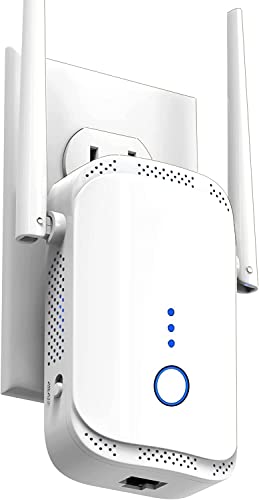
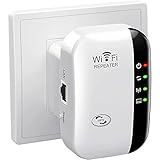
“Fastest” Wi-Fi Extender/Booster
How They Work
A Wi-Fi extender grabs the signal from your router and rebroadcasts it, like a megaphone shouting the same message farther down the hall.
Benefits
- Better coverage: Gets Wi-Fi into that dead spot upstairs or across the yard.
- Easy setup: Usually just plug it in, press a button, connect, done.
- Affordable: One of the cheapest fixes you’ll find.
- Plays nice with most routers: Brand doesn’t matter much.
Limitations
- Weaker speeds: You’re basically getting a “copy” of the signal, not the original.
- Shared bandwidth: If multiple devices are connected through the extender, speeds can tank.
- Walls still win: Thick walls or floors can still block the signal.
👉 Think of extenders like adding another speaker in the house. You’ll hear the music in more rooms, but it won’t sound as crisp as the original stereo.




Powerline Adapters: The Hidden Shortcut

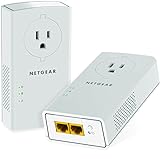
TP-Link AV2000 Powerline Adapter
How They Work
Powerline adapters use the electrical wiring in your house to move data. One plugs into the router, the other plugs into an outlet near your dead zone. Boom—your wiring becomes a secret data highway.
Benefits
- Stable connection: Not as fussy as Wi-Fi signals bouncing around walls.
- Better speeds: Usually faster and more consistent than extenders.
- Great for tricky layouts: Thick walls or multiple floors? Doesn’t matter much.
Limitations
- House wiring matters: Old or weird electrical circuits can cause issues.
- Setup takes a minute: You’ve got to pair the adapters before they talk to each other.
- Less portable: Needs a wall outlet. No moving it around on a whim.
👉 Think of powerline adapters as sneaky shortcuts—using the wiring you already have to carry your internet where Wi-Fi struggles.




Side-by-Side Showdown
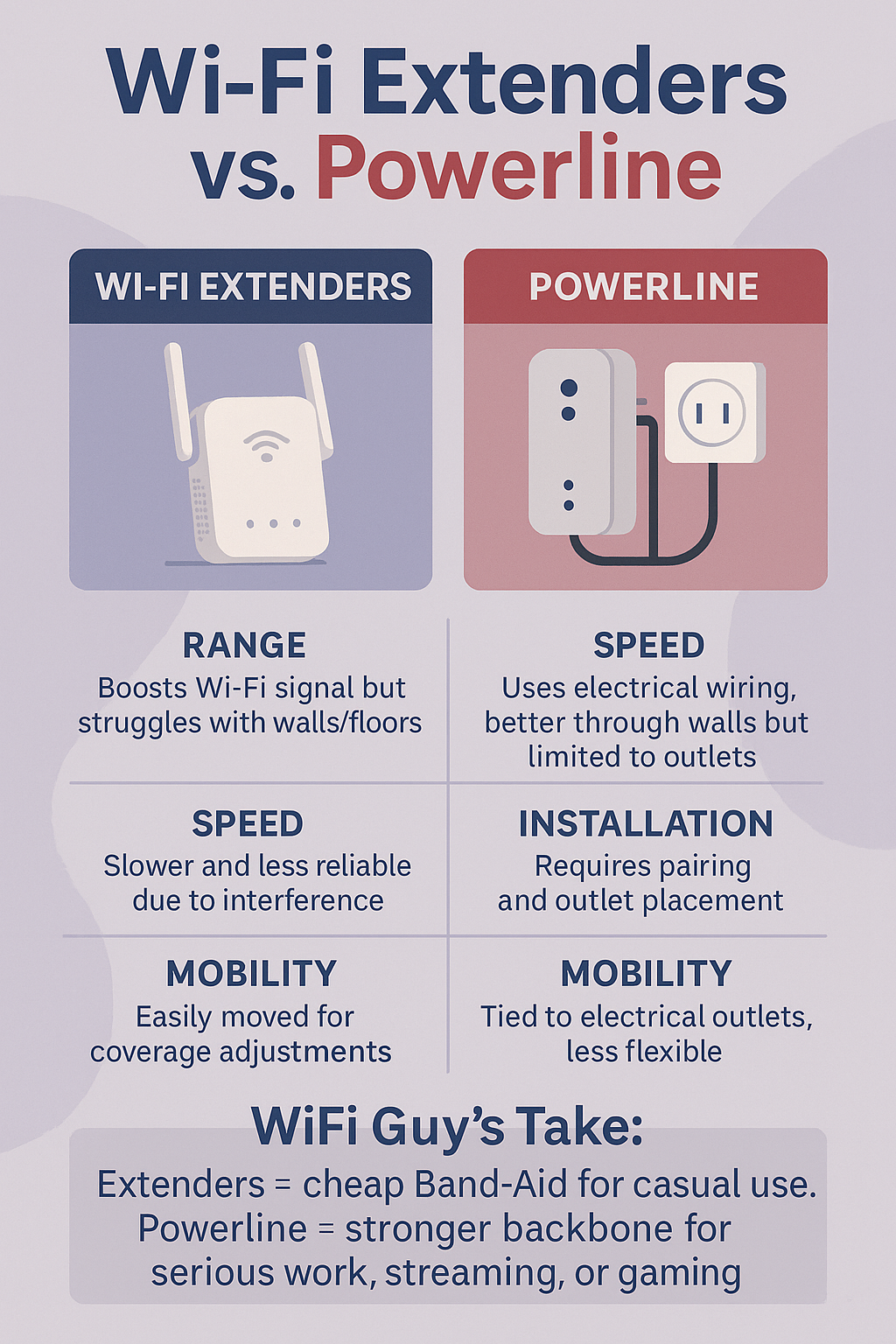
| Category | Wi-Fi Extender | Powerline Adapter |
|---|---|---|
| Coverage | Good for open spaces, struggles with thick walls | Reaches anywhere your wiring goes |
| Speed | Slower than router, drops with distance | Usually faster, more stable |
| Setup | Super simple, app or button press | Slightly more technical, needs pairing |
| Flexibility | Can move around easily | Limited by outlet placement |
| Best Use | Quick fix for dead spots, casual browsing | Serious work, streaming, or gaming where stability matters |
Security
Both options are secure if you set them up right. Extenders use your existing Wi-Fi password. Powerline adapters encrypt their signals so neighbors can’t eavesdrop. Just make sure you change default passwords and keep things updated.
WiFi Guy’s Take
If you just need a quick, cheap fix for a dead corner, grab an extender. But if you care about speed, stability, or gaming, powerline wins hands down—as long as your wiring isn’t older than disco. Some folks even use both: powerline to get signal across the house, then an extender off that to spread Wi-Fi in another room.
Bottom line? Pick the tool that fits the problem, not the hype.
FAQs (WiFi Guy Style)
Q: Do extenders work with any router?
A: Pretty much, yes. They’re plug-and-play with almost everything.
Q: Will powerline work in my older house?
A: Maybe, maybe not. Old wiring or split circuits can mess it up. Worth a test if your house isn’t brand-new.
Q: Do I need to configure these things?
A: Extenders = almost no setup. Powerline = pair the units and you’re done.
Q: Can I use both?
A: Yep. Some people do extender + powerline tag-team for max coverage.
Q: Which is better for gaming?
A: Powerline. Less lag, more stable. Extenders are fine for web browsing, not great for fast reflexes.
🧠More WiFi Brainiac Tips
Routers With High-End Security And Easy VLAN Support
These Wi-Fi 7 Mesh Bullies Crush Dead Zones

Start Your Smart Home Off Right With These 3 Top Smart Hubs
Find Your Perfect VPN Wireless Router — Easy Picks
Serious Security For Your Home Network

Wi-Fi Extender Face-Off: TP-Link RE600X vs Netgear EAX15

NETGEAR Orbi WiFi 7 970 vs TP-Link Deco BE85: Wi-Fi 7 Showdown!

TP-Link Deco X55 vs Amazon eero 6: Head-to-Head Comparison

TP-Link Deco XE75 vs. Amazon eero Pro 6E: Mesh Wi-Fi Comparison
Home Network Engineer Course
✅ You’ll Be Able To:
- Fix Wi-Fi and device problems fast – Know what’s wrong and how to handle it
- Speed up your connection – Boost coverage, kill lag, and reduce dropouts
- Lock it down – Protect your network from freeloaders and shady devices
- Upgrade with confidence – Know what gear to get (and what to skip)
- Stop second-guessing yourself – Never be scared of a blinking router again
Last update on 2026-01-18 at 16:50 Affiliate links and Images from Amazon Product Advertising API