
Find out whether the R7000’s power or the A7’s bargain will give your home Wi‑Fi the boost you actually need — and which one you’ll enjoy living with.
Decisions, decisions — pick your Wi‑Fi hero. You’re comparing the Netgear R7000 (AC1900) and TP‑Link Archer A7 (AC1750); this guide breaks down speed, features, setup, security, price, and which model best matches your home and habits for a confident, practical choice.
Powerful Home
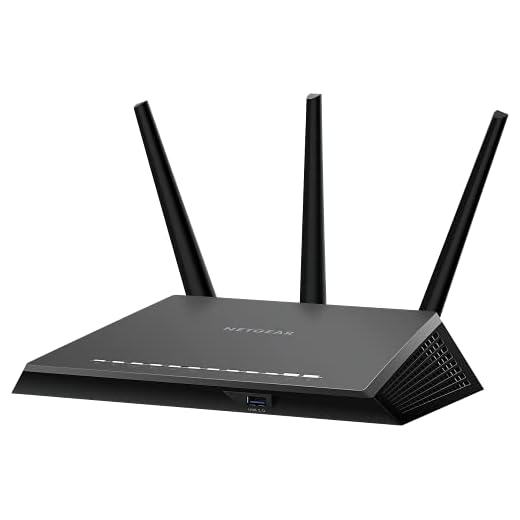
8.6
If you want a router that prioritizes raw home performance and stable multi-device use, this is a solid pick. You’ll get fast wireless speeds, reliable coverage, and a broad set of features suitable for power users who want control.
Value Choice

8.4
If you’re looking for a budget-friendly upgrade that covers a typical home well and is easy to manage, this fits the bill. You’ll sacrifice some advanced features, but you get reliable AC performance and straightforward setup that most users will appreciate.
NETGEAR R7000 Nighthawk
- Wireless performance – 9
- Coverage & range – 9
- Features & ports – 8.5
- Value & ease of use – 8
TP-Link Archer A7
- Wireless performance – 8
- Coverage & range – 9
- Features & ports – 7.5
- Value & ease of use – 9
NETGEAR R7000 Nighthawk
Pros
- Strong AC1900 throughput for streaming and gaming
- Excellent real-world coverage with high-gain antennas and beamforming+
- Robust feature set: Dynamic QoS, dual USB (USB3 + USB2), and advanced firmware
- Good security options (Armor) and a capable web/app interface
TP-Link Archer A7
Pros
- Very good value for everyday home use and streaming
- Strong coverage for its class (claims up to ~2500 sq ft)
- Simple setup and solid mobile app (Tether) for management
- Gigabit wired ports and stable AC1750 performance
NETGEAR R7000 Nighthawk
Cons
- Older design and higher MSRP compared with budget models
- A bit more advanced to configure if you’re a total novice
TP-Link Archer A7
Cons
- Fewer advanced features than higher-end models (no USB 3.0)
- Occasional firmware/stability quirks reported by some users
Speed, Range and Real‑World Performance
Raw throughput: specs vs what you’ll see
The R7000 is an AC1900 router (up to 1900 Mbps on paper) while the Archer A7 is AC1750 (up to 1750 Mbps). In real life you won’t hit those totals — but the R7000’s stronger radio hardware, beamforming+, and Dynamic QoS usually deliver steadier multi‑device throughput and lower latency for gaming and simultaneous 4K streams. The A7’s Qualcomm guts still handle HD and most 4K streams fine and feel snappy for everyday use.
Range and multi‑device handling
Netgear advertises ~1800 sq ft and support for ~30 devices; TP‑Link claims broadly similar household coverage (A7 often quoted up to ~2500 sq ft in marketing). In practice:
- R7000: better when you have many phones, smart speakers, consoles or simultaneous streams.
- A7: excellent for smaller homes or light/mid multitasking where a couple of streams dominate.
Real‑world tips
Placement matters more than model. Put the router centrally, keep it high and clear of big metal/brick obstructions, and avoid crowded 2.4 GHz channels. If range is a real problem, add a mesh system or extenders rather than expecting a single router to fix dead zones.
Features, Setup, and Security: What You’ll Actually Use
Ports & extras
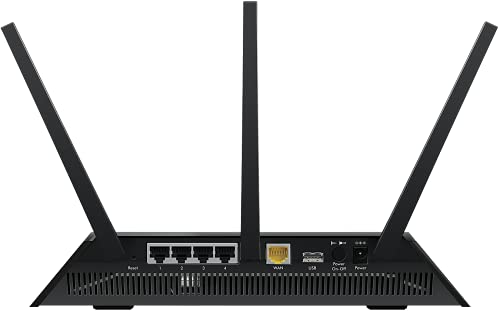
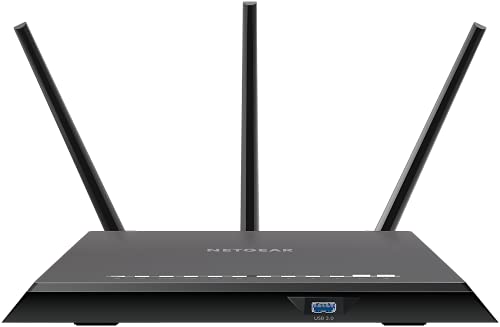
The R7000 gives you more hardware: 4 x 1G LAN, a USB 3.0 + USB 2.0 port for storage/printers, and beefier antennas for steady multi‑device performance. It also exposes more advanced settings if you like to tinker.
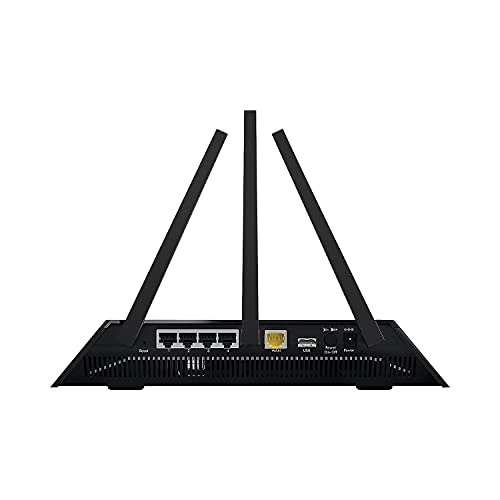
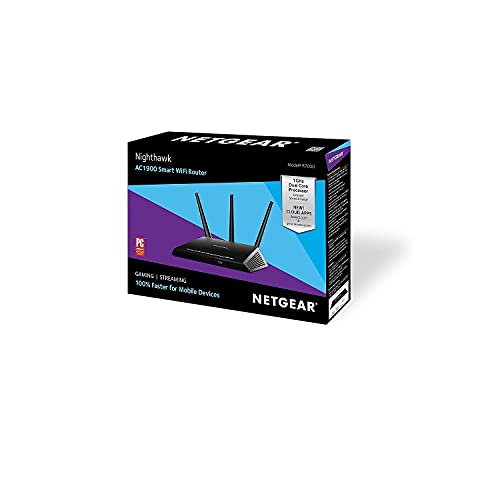
The Archer A7 sticks to essentials: 4 x gigabit LAN, a single USB 2.0 port, and Alexa compatibility so you can ask for network status or reboot by voice.
What you’ll actually use
- R7000: advanced QoS, VPN passthrough, guest networks, more granular parental controls.
- A7: basic QoS, easy guest network setup, and straightforward parental controls via Tether.
Setup and apps
You’ll get the Nighthawk app for quick setup plus a full web UI when you want deeper control. TP‑Link’s Tether app is simpler — fast to set up, easy for parents and non‑tech users, and integrates with Alexa.
Security and updates
Netgear Armor adds device‑level threat scanning and is subscription‑based — useful if you worry about IoT devices. The A7 provides solid built‑in protections without a recurring fee. In either case, check firmware update frequency and online community support; routers that get regular updates stay safer and run better over time.
Side-by-Side Feature Comparison
| Features | NETGEAR R7000 Nighthawk | TP-Link Archer A7 |
|---|---|---|
| Model | R7000-100PAS | Archer A7 |
| Wireless standard | 802.11ac / 802.11a/b/g/n | 802.11ac / 802.11b/g/n |
| Max combined speed | Up to 1900 Mbps (AC1900) | Up to 1750 Mbps (AC1750) |
| Coverage (approx.) | Up to 1800 Sq Ft | Up to 2500 Sq Ft |
| Recommended devices | Up to 30 devices | Approximately 35 devices |
| Bands | Dual-band (2.4 GHz + 5 GHz) | Dual-band (2.4 GHz + 5 GHz) |
| LAN ports | 4 x 1 Gbps Ethernet | 4 x 1 Gbps Ethernet |
| WAN port | 1 x 1 Gbps | 1 x 1 Gbps |
| USB ports | 1 x USB 3.0 + 1 x USB 2.0 | 1 x USB 2.0 |
| Processor | Dual-core 1.0 GHz | Qualcomm CPU |
| RAM | 256 MB | Not specified |
| Beamforming | Yes (Beamforming+) | Yes |
| MU‑MIMO | No | No |
| QoS | Dynamic QoS (advanced) | Yes (basic QoS) |
| Parental controls | Yes | Yes |
| Security | NETGEAR Armor (subscription-based option) | WPA/WPA2 encryption |
| App / management | Nighthawk app + web UI | TP-Link Tether app + web UI |
| USB sharing / NAS | ReadySHARE (SMB/FTP) | Basic file sharing / FTP |
| Price | $$$ | $$ |
| Release date | October 1, 2013 | November 10, 2025 |
Price, Value and Which One Fits Your Home
Price snapshot
On Amazon the Archer A7 typically costs around $85 while the Nighthawk R7000 sits closer to $150. So you’re saving a noticeable chunk up front with the A7. That lower price gets you reliable AC1750 performance; the R7000’s higher price buys stronger hardware (better antennas, USB3, beefier CPU) and more features.
Long‑term value & extras
Think beyond sticker price: the R7000 is more future‑proof if you expect heavier, simultaneous use. It also bundles Netgear Armor security — useful, but subscription‑based, so factor that ongoing cost in. The A7 gives solid built‑in protections with no recurring fee. Check warranty length and Amazon’s return window before you buy; a longer warranty or easy returns can save you headaches.
Which one fits your home
Pick the Archer A7 if you:
- Live in an apartment or small house
- Mostly stream media and run smart‑home devices
- Want simple setup and Alexa support
- Prefer lower upfront cost
Pick the Nighthawk R7000 if you:
- Have many simultaneous devices or a small home office
- Need low‑latency gaming and advanced QoS
- Want extra wired ports, USB3, and more advanced controls
- Don’t mind paying extra for hardware and optional security subscriptions
Buy the router that reduces your connection headaches and fits your budget — both are solid choices depending on how you use your network.
Final Verdict: Pick the One That Matches Your Needs
Overall winner: Netgear R7000 — pick it if you want extra speed, more ports, and stronger built-in security and can pay a little more.
Choose the TP‑Link Archer A7 if you want a budget-friendly, easy-to-manage router handling streaming and smart home devices.




Quick question: I use a Plex server and want to attach an external HDD. R7000 has 2 USB ports — is it actually usable as a small NAS, or is it just okay for tiny file shares? Anyone running Plex off the R7000?
You can use the R7000 USB as a file server and even host small media shares, but it’s not a true NAS in terms of performance. Plex metadata and transcoding require more CPU than the router offers. For direct-streaming (no transcoding) it’s fine; for heavy transcoding, a proper NAS or a dedicated PC is better.
One more tip: if you rely on that drive heavily, consider redundancy/backups — router-hosted drives can fail and recovery is a pain.
If you want to try it, format the drive as ext3 and use the R7000 SMB share. Speeds are meh but stable. Also, power the drive externally if it needs more juice.
I put a cheap external drive on mine and use it for backups and photo access — works okay for occasional streaming but don’t expect fast transfer speeds over Wi‑Fi.
I run Plex on a tiny NUC, not on the router — much smoother. Router USB is good for basic file sharing or printers.
Thanks — this is exactly what I needed to know. I won’t try Plex on the router then.
I picked the Archer A7 for a second home. Solid day-to-day performance, great price-to-performance ratio. Qualcomm chipset seems stable and the app is simple.
Not flashy but does what I need.
Did you have any issues with firmware updates on the A7? I’ve read mixed things.
Thanks Emily — glad A7 worked well for you. Many readers choose it for the value.
I nerd out on router firmware. R7000 is popular in the flashing community — DD‑WRT / Tomato builds exist and give you advanced features (and sometimes better stability).
But flashing voids warranty and has a nonzero risk of bricking. If you’re comfortable with that, R7000’s hardware responds well to custom firmware.
For people who want ‘set it and forget it’ and zero tinkering, go A7 and be done with it.
Thanks for the caution — I think I’ll stick with stock firmware and regular updates.
Good breakdown, Tom. We try to mention the custom firmware angle in the article — it’s a big plus for power users but not for everyone.
If you do flash, follow a step-by-step guide and keep the original firmware handy. Recovery methods exist but can be annoying.
I’d be too scared to flash anything. Sounds fun but nah 😂
Been debating these two for a while. A few thoughts:
– I do light gaming and a lot of Zoom calls with 3 kids doing streaming at the same time.
– The R7000 seems beefier on paper (AC1900, more Ethernet ports, Armor security), but the A7 is way cheaper and has Alexa support which is kinda handy.
– Does R7000 actually make a noticeable difference for low-latency gaming, or is QoS on the A7 good enough?
Would love advice from anyone who uses either for family + remote work.
Agree with admin — R7000’s CPU handles QoS and NAT better. I noticed ~10-20ms lower ping during peak times compared to cheaper routers.
For Zoom and calls the difference wasn’t night/day for me. I used A7 for months for remote work and it was totally fine. But my household only has ~12 devices active max.
Also worth checking your ISP speed vs router capability — if your WAN is the bottleneck, router upgrades won’t magically reduce latency. But for local device-to-device stuff and heavy NAT, R7000 wins.
Good question, Priya — for mixed loads (streaming + video calls + gaming) the R7000 usually handles congestion better thanks to stronger hardware and more robust QoS options. That said, the A7 is perfectly fine for many households.
If low latency for competitive gaming is critical, go R7000. If budget is a concern and you primarily stream/watch or casual game, A7 should be fine.
If you have a console, set a static IP + port forward or use DMZ for it. That helps latency more than just buying a bigger router sometimes.
Read the article — for my studio the Archer A7 was perfect. Cheap, reliable, Alexa helped with setup once. Don’t need Armor for a one-person place, LOL 😅
A7 was my budget pick and honestly pretty happy. Alexa integration is a tiny gimmick but setup was painless.
QoS options are basic but I didn’t need advanced controls. If you’re not a heavy gamer or streaming monster, A7 saves money.
Glad it worked for you, Hannah. Budget routers have come a long way — solid choice for many users.
Which one would you recommend for ~30 smart home devices (sensors, bulbs, a couple of cameras)? I read R7000 supports up to 30 devices but not sure if that’s realistic.
I switched from my ISP-provided router to the R7000 last year and it’s been night/day.
Coverage in my ~1600 sq ft house is solid — streaming in every room with almost zero buffering most nights.
Armor security is a nice touch, though the app nags about updates sometimes. Setup was a little clunky but manageable.
One downside: it runs warm and the GUI feels dated. If you want raw performance and aren’t fussed about shiny apps, R7000 is great.
Has anyone else seen occasional 2.4GHz drops? Kinda annoying 🤨
Thanks for the write-up, Sarah — really helpful. If you see 2.4GHz drops try updating the firmware (if you haven’t), switch to a less crowded channel, and enable beamforming. Also check for devices with old Wi‑Fi drivers — those often cause the disconnects.
I flashed DD‑WRT on mine and the drops disappeared. Not for everyone (warranty/risks), but DD‑WRT’s advanced wireless settings helped. If you don’t want to flash, try changing the DHCP lease and reserved IPs for flaky devices.
I had the same issue — switching to a fixed channel (not auto) and putting the router higher fixed it for me. Also keep 2.4GHz on 1/6/11 only.