
Lock Down Your Smart Home and Get Faster Wi‑Fi—No IT Degree Required.
If your Wi‑Fi feels slow, messy, or like a small security liability, you don’t have to live with it. With more cameras, smart bulbs, and streaming devices fighting for airtime, you need a router that gives you speed, segmentation, and real threat protection — without turning your home into a networking lab.
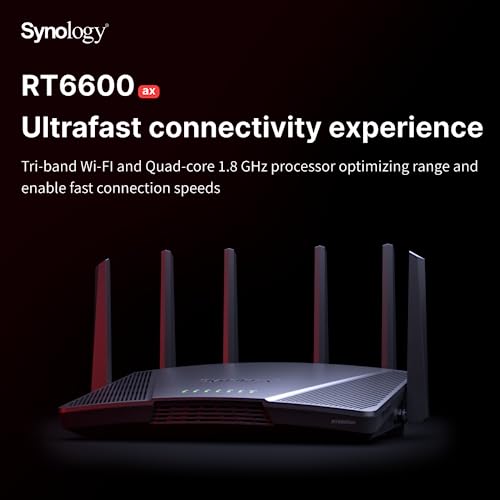
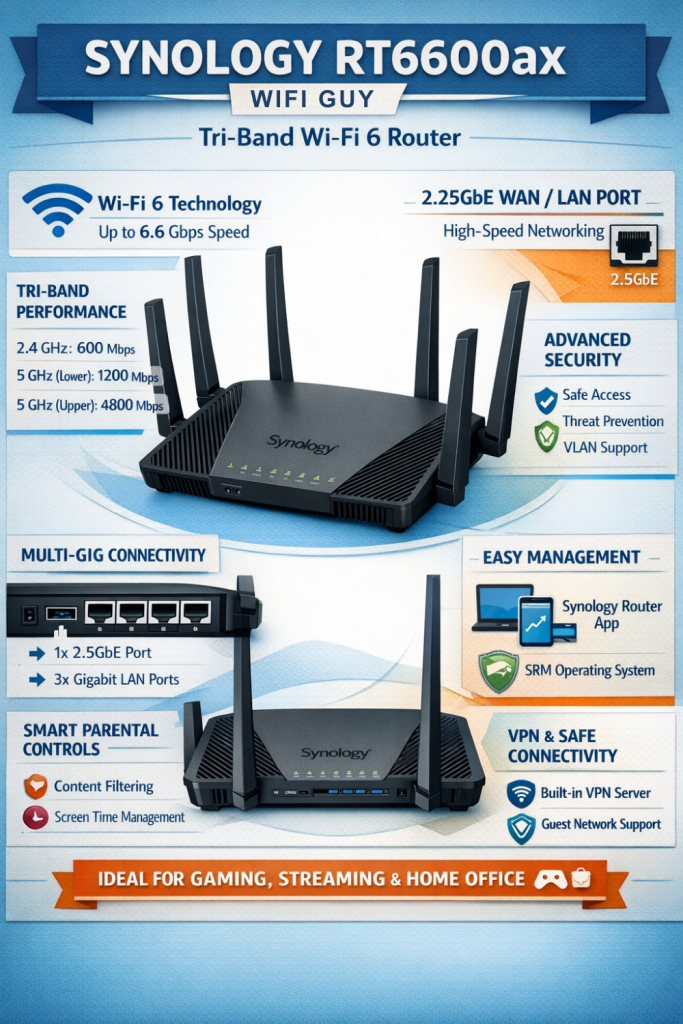
Enter the Synology RT6600ax: a tri‑band Wi‑Fi 6 router that pairs 160 MHz speeds and a 2.5GbE uplink with an approachable security suite (think Threat Prevention, VLANs, multiple SSIDs and built‑in VPN). It’s designed so you can lock down IoT, manage users, and run secure remote access without pulling your hair out — just be aware it has only one 2.5GbE port, no Wi‑Fi 6E, and a single USB port, so you might need a switch or spare NAS for heavy setups. At $329.99, it’s a practical pick if you want pro‑grade control minus the corporate headache.
Synology RT6600ax Tri-Band Wi‑Fi 6 Router

If you want a router that gives you professional-grade security and flexible network control without the corporate complexity, this one fits the bill. It balances raw wireless speed with a thoughtful software feature set so you can lock down IoT, run VPNs, and manage users without pulling your hair out.
- Wi‑Fi performance & range – 9
- Security, VPN & threat protection – 9.5
- Ease of setup & management (SRM) – 8.5
- Value for power users – 8
Pros
- Excellent security suite (Threat Prevention, VPN, VLANs) included
- Very fast tri‑band Wi‑Fi 6 with 160 MHz support and 2.5GbE port
- Flexible network segmentation: multiple SSIDs and VLAN support
- Synology Router Manager (SRM) is powerful yet approachable
- Good for mixed home/small office use — lots of advanced options
Cons
- Only one 2.5GbE port and limited number of LAN ports onboard
- No Wi‑Fi 6E support (no 6 GHz band)
- Single USB port may be limiting for some NAS/storage workflows
Synology RT6600ax: Fast, Secure Tri-Band Wi‑Fi 6 Router — Worth the Price?
Overview
You’re buying more than just a shiny router — you’re buying control. The RT6600ax focuses on three things: modern Wi‑Fi 6 performance, serious security tools, and software that grows with you. Built for people who want to manage networks like pros but still appreciate a clean, friendly interface, it blends a tri‑band radio design with a configurable 2.5GbE port and Synology Router Manager (SRM).
Hardware and Ports
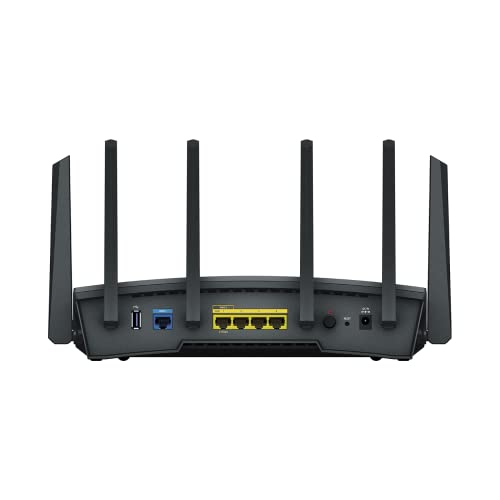
The box is compact but thoughtfully laid out: a set of four gigabit LAN ports, a configurable 2.5GbE WAN/LAN port, one WAN port, and a single USB port. For most households and small offices, that 2.5GbE uplink is the headline — it lets you take advantage of faster internet plans or create a high‑speed LAN connection to a NAS or switch.
- 1 × configurable 2.5GbE port (WAN or LAN)
- 1 × Gigabit WAN port
- 4 × Gigabit LAN ports
- 1 × USB port
- Tri‑band radio (2.4 GHz + two 5 GHz bands)
Wi‑Fi Performance and Coverage
The RT6600ax is a Wi‑Fi 6 beast on paper — it supports 4×4 spatial streams and 160 MHz channels on the 5 GHz band, which boosts throughput to demanding devices. In real life that means fast single‑device speeds and more graceful multi‑device handling. The second 5 GHz radio gives Synology room to offload congested clients (like gaming consoles, streaming boxes, or a high‑speed laptop), which helps reduce latency when multiple heavy users are active.
| Area | What you’ll notice |
|---|---|
| Throughput | Very high with modern clients supporting 160 MHz |
| Congestion handling | Tri‑band helps separate heavy devices |
| Range | Comparable to other mid‑high routers; placement still matters |
Software & Features (SRM)
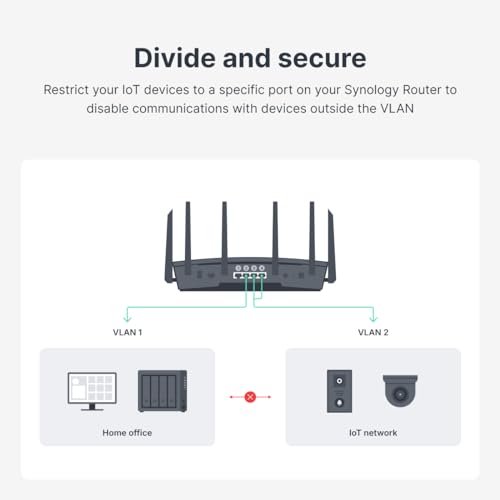
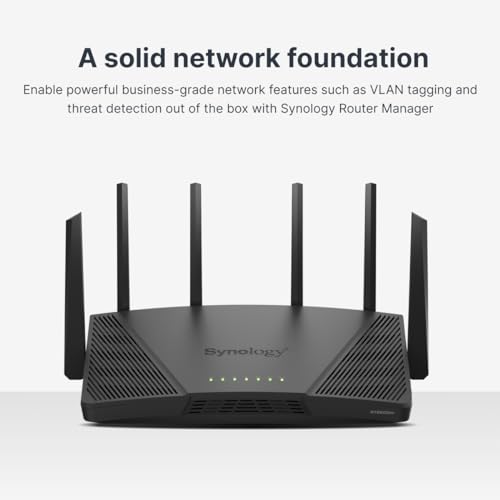
This is where Synology shines. SRM gives you an interface that’s friendlier than enterprise gear but far more capable than consumer router apps. You can create up to five separate LANs/SSIDs, map them to VLANs, and apply granular parental controls. The built‑in Threat Prevention continually updates to block known bad actors, and the integrated VPN server (with many client licenses included) lets you access your home network securely from anywhere.
- Multiple SSIDs with VLAN tagging
- Integrated Threat Prevention and firewall rules
- VPN server (OpenVPN, WireGuard support via SRM updates) and client options
- Deep parental controls with schedule and content filters
Who this is for
You’re a good fit for this router if you want to: manage IoT separately from your PCs, run a home VPN to access cameras or NAS, avoid monthly subscription fees for parental controls, or squeeze more speed out of a fast ISP. It’s less perfect if you want lots of built‑in LAN ports or craving Wi‑Fi 6E today.
Setup & Practical Tips
Start with SRM’s setup wizard but take five minutes afterward to: rename SSIDs clearly, enable VLANs for IoT, and run a channel scan for best 5 GHz channel selection. If you have a multi‑switch setup, consider dedicating the 2.5GbE link to your NAS or core switch for heavier internal traffic.
- Run a Wi‑Fi analyzer app to pick the best channel
- Use VLANs to isolate cameras and smart devices
- Enable Threat Prevention, then monitor logs for false positives
Final thoughts
If you want a router that won’t baby you but will protect and empower you, this is a friendly and capable choice. You’ll appreciate the balance between powerful features and a usable UI — and the lack of subscription fees for the core items is a genuine money‑saver over time.
Where to Buy the Synology RT6600ax


FAQ
Do I need an IT degree to use the RT6600ax?
Nope. You can get the basics running with SRM’s setup wizard in minutes. But if you want to enable VLANs, custom firewall rules, or advanced VPN options there’s a learning curve — thankfully SRM explains most options and Synology provides helpful docs and community guides.
Will this replace my mesh Wi‑Fi system?
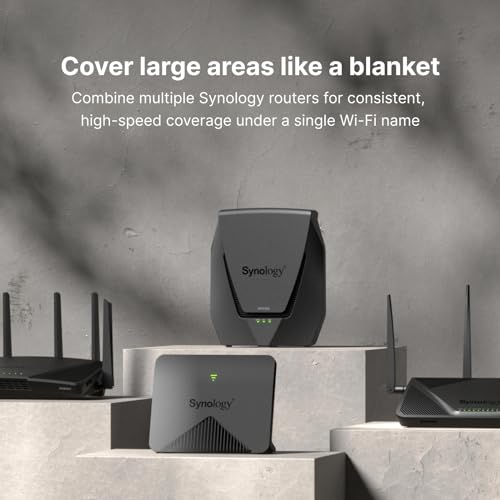
Maybe. The RT6600ax is a powerful router with good range, but it’s not a mesh node set. If you have a large home, you can pair it with additional APs or compatible Synology mesh extenders. For whole‑home coverage, a true mesh system with satellites may still be simpler.
Can I run a VPN server and client at the same time?
Yes. SRM supports hosting VPN servers and acting as a VPN client simultaneously. That flexibility is great if you need secure remote access to your home network and also want your router to connect out to another VPN for certain traffic.
Is the 2.5GbE port worth it?
If you have a fast internet plan (>1 Gbps) or a 2.5GbE‑capable NAS/switch, absolutely. It’s also handy for high‑speed LAN links to reduce internal bottlenecks when moving large files.
How good are the parental controls?
They’re excellent and surprisingly detailed — you can set schedules, block categories, or allow specific sites. Best part: Synology includes these features without a subscription.
Should I worry about Wi‑Fi 6E (6 GHz)?
Only if you have or plan to buy 6E devices soon. 6E gives cleaner airspace in busy environments, but most users and devices are still on Wi‑Fi 6. If 6 GHz matters to you, look at routers with Wi‑Fi 6E support.



I’ve been running the RT6600ax in a small office setup for 3 months and here’s a quick rundown:
– Pros: solid throughput, stable VLANs, multiple SSIDs help segment staff and guests
– Cons: expensive, app needs polish, some QoS settings are hidden behind menus
Also, the Threat Prevention caught a couple of outbound connections from a compromised device which probably saved me a headache. Highly recommend if you want a security-focused home/office router.
Thanks for the detailed breakdown, Noah. The Threat Prevention module uses local heuristics and signature updates — glad it flagged those connections. If you want to tune alerts, SRM’s logs and notification settings are pretty configurable.
SRM doesn’t natively push to SIEMs, but you can export logs via syslog to a local collector. That approach works well for small office monitoring.
Can you share how you configured alerts? I want email notifications for blocked threats but haven’t found the right settings.
Thanks for the tip, Noah. I had notifications disabled by default and missed important logs.
Did you integrate with any external SIEM or cloud alerting? Curious for a small office use-case.
In SRM go to Security > Notification and enable email/SMS. Then under Threat Prevention set which events trigger notifications. Took me a little while to find the exact toggles but it’s there.
Long story short: love the control, mildly annoyed by the price and app quirks. Also:
1) The device is a bit heavier than my old router (4.11 lbs) — feels solid
2) I use the multiple SSIDs to separate work, home, and guest
3) Threat Prevention gave me peace of mind — caught a botnet attempt
If you like tinkering and want security features without setting up a full pfSense box, this is a really good middle ground. Also the design looks less like a UFO than other high-end routers 😂
pfSense fanboy chiming in: nothing beats a dedicated box for absolute control, but this router is a great compromise for most people.
If anyone’s curious, the model number is RT6600ax (US) and it’s usually on Amazon if you’re shopping. Watch for sales!
Agree on the weight — feels premium. Also the LEDs are way less bright than on my last router, which is a plus for bedroom placement.
Thanks for the summary, Zoe. Love the “less like a UFO” line — we try to keep SRM approachable for everyday users while offering advanced options.
Decent review. A couple of additional notes from my experience: the RT6600ax’s 4×4 radios mean better MU-MIMO performance for simultaneous clients, and the 160MHz option is great for short-range speed tests but can be more interference-prone in dense areas.
TL;DR: great for wired backbones and dense device environments, but don’t expect magic over long distances.
Good point — I switch between 80 and 160 depending on whether I need top throughput for a transfer or better range for streaming.
Well put, Sofia. 160MHz can provide a boost but is sensitive to interference. For many users, 80MHz is a good compromise for range and stability.
I’ve read the review and appreciate the security features, especially Threat Prevention and VLAN segmentation. I’m considering this for a small home office where I want to isolate my IoT devices.
Question: does anyone know if the VLAN setup is user-friendly for non-network engineers? I’m not great with subnetting but I need guest and IoT isolation.
Also, the price at $329.99 feels a bit high for home use, but if it reduces headaches, maybe it’s worth it.
Good tip, Olivia. There’s a config backup option in SRM — export before big changes to save time on recovery.
If it helps, think of VLANs as “labeling” networks — you can avoid subnet math by using their defaults and just separate traffic logically.
If you’re not comfortable, maybe start with guest network + separate SSID for IoT. You can always add VLAN specifics later. And yes, $330 is steep but comparable to other premium routers.
Another vote for it being approachable. That said, I did mess up a setting the first time and had to reset. So back up your config before experimenting 😊
Agreed with admin. I set up separate SSIDs for guests and IoT without touching CLI. The UI has toggles that make it quite manageable.
Hi Maya — VLAN setup on the RT6600ax is more approachable than most enterprise gear. Synology’s SRM interface walks you through creating VLANs and assigning SSIDs to them. You don’t need deep subnet knowledge for basic isolation; the defaults are sensible. If you want custom routing rules, that’s when it gets more advanced.
I grabbed this after reading the expert verdict. Setup was smooth, but I wish Synology offered more community guides for power users. Docs exist, but examples for complex setups (multi-site VPNs, advanced routing) would be nice.
I had a weird issue where one of my smart plugs stopped seeing the network until I toggled ‘isolate IoT’ off and on again. Fixed it, but kinda annoying. 🤷♀️
Anyone else had random device hiccups after setting up VLANs?
Sometimes IoT devices don’t like being on an isolated VLAN if they expect to reach a hub on the main network. You can create VLAN rules to allow specific device-to-device traffic, or use static routes. Happy to walk through an example if you share device types.
Yep, had that with a smart camera. Allowed traffic to the NVR’s IP and it behaved. Little fiddly but solvable.
I’ve been using the RT6600ax for about a month and it’s been solid. Coverage in my two-story house improved over my old dual-band router, and the VPN server setup was surprisingly straightforward.
No issues with the 2.5GbE link to my NAS either. Worth the price if you want more control than a typical consumer router.
Glad it worked well for you, Ethan. A tip: if you plan to run heavy VPN throughput, check the CPU load under Traffic Control — the router handles connections well, but throughput can vary with encryption type.
WireGuard usually gives better speed and lower latency. But OpenVPN is more compatible with older devices. Depends on what you need.
Which VPN protocol did you set up? I’m between WireGuard and OpenVPN and can’t decide which to use for speed vs device compatibility.
For parents: the parental controls and multiple SSIDs are legit. You can schedule Wi‑Fi for kids’ devices and block categories with Threat Prevention. Worth noting for households with a lot of screen time.
Good point, Grace. The device-level scheduling and web-filtering categories are handy. If you rely on DNS-based parental controls, pair SRM with a local DNS filter for extra coverage.
Honestly, I like the features but I’m not sold on spending >$300 on a router. Most people will never need VLANs or a 2.5GbE port. Buy it only if you actually will use those extras — otherwise a cheaper router will do the day-to-day stuff.
I bought it on sale from Amazon for about $250. If you can catch a deal, it becomes a much easier buy.
Totally — I debated the price but needed the VPN + VLAN features for remote work, so it was worth it for me.
That’s fair, Marcus. The RT6600ax targets users who want more advanced controls without enterprise complexity. If you only need basic Wi‑Fi, lower-cost options will cover browsing/streaming well.
If you upgrade your NAS to 2.5Gb, that 2.5GbE port becomes very handy. Otherwise yeah, it’s extra capacity you might not use.
Short and sweet: the throughput on 160MHz channels is impressive in my lab tests, but real-world performance upstairs in my house wasn’t as dramatic. Still, a very capable piece of kit.
Anyone tried using this with multiple mesh satellites? I was under the impression it’s a standalone router, not a mesh node, but curious if people have bridged systems.
I use it as the main router and put a third-party mesh in AP mode — works fine but you lose some advanced control over the satellites from SRM.
SRM supports creating wireless mesh connections with Synology MR-series satellites. For non-Synology mesh, most users run the RT6600ax as the main router and set other mesh units in AP or bridge mode.
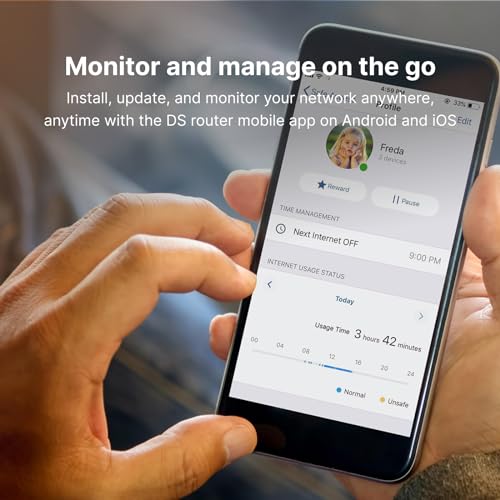
Mixed feelings: love the control panel and threat prevention, but the mobile app feels a bit clunky compared to competitors. Desktop UI is great though.
Also, FYI — firmware updates are frequent, which is nice security-wise but sometimes they change a setting or two unexpectedly. Back up before updates!
If anyone hits unexpected behavior after an update, please let us know — we try to document breaking changes and provide rollback steps when needed.
Frequent updates are fine as long as they don’t break VLANs. One update once reset my QoS — painful morning fixing that…
I noticed the app got better after the last two updates. Still prefer SRM on a browser for detailed configs.
Clunky app: agreed. But desktop + good docs make up for it in my view.
Thanks for the feedback, Hannah. We’re aware of the occasional UI change with updates; Synology tends to tweak features based on security patches and user feedback. Backups before updates are a smart move.