
Next‑Gen Wi‑Fi, 10G Wired Speeds and UniFi Smarts — Powerful and Compact, With a Small Nerdy Curve
Ever had your video call freeze because someone in the house decided to stream 4K, or your backyard cam lags when you need it most? Your router shouldn’t feel like the weakest link in your smart-home chain — and frankly, neither should your patience.
For about $279, the Ubiquiti Networks Dream Router Wi‑Fi 7 (UDR7) aims to fix that by putting next‑gen Wi‑Fi 7, a 10G SFP+ WAN and 2.5G LAN, PoE and UniFi app control into a compact desktop box. In plain English: faster wireless, a seriously speedy wired hookup for NAS or fiber, and one place to manage cameras and devices. It’s powerful and practical — but expect a bit of a UniFi learning curve if you’ve only used basic home routers.
Ubiquiti Dream Router Wi-Fi 7 (UDR7) Desktop

This is a powerful, compact gateway that packs next‑gen Wi‑Fi, fast wired ports, and UniFi apps into one desktop unit. It’s ideal if you want a solid foundation for smart home devices, cameras, and a small home lab — just be ready for a bit of learning curve if you’re new to UniFi.
- Wireless Performance (Wi‑Fi 7 & Range) – 9.2
- Setup & UniFi Software Experience – 8.5
- Ports, PoE & Expandability – 9
- Value & Future‑proofing – 8.8
Pros
- Next‑generation Wi‑Fi 7 speeds and modern features
- Built‑in 10G SFP+ WAN and 2.5G LAN for high throughput
- Integrated UniFi application suite for cameras, access, talk
- PoE support and microSD for local storage — compact all‑in‑one
- Solid performance for home labs, NAS, and multi‑device homes
Cons
- Still-new Wi‑Fi 7 ecosystem — compatible clients are limited
- UniFi ecosystem can feel technical for total beginners
- No modular redundant power or rackmount form factor
Is the UniFi Dream Router 7 Worth $279?
Quick overview — what this thing actually is
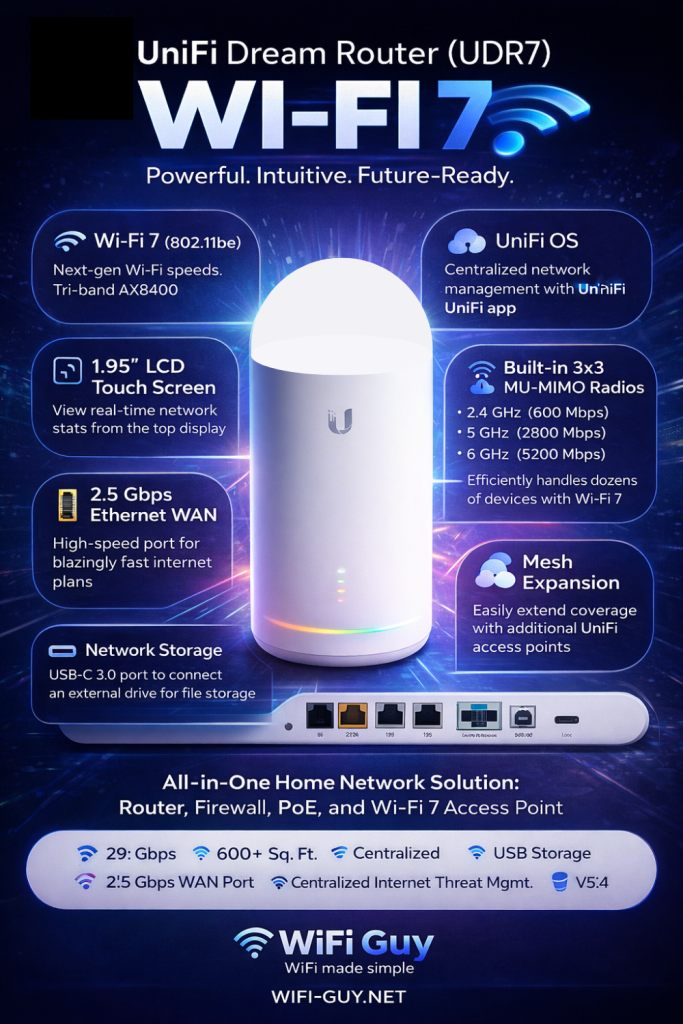
You’re looking at a compact desktop gateway that combines a Wi‑Fi 7 radio, a 10G SFP+ WAN port, multi‑gig LAN, PoE support, and UniFi’s full software stack in a single box. Think of it as a tiny network command center — it runs your Wi‑Fi, talks to cameras, handles access control, and gives you NAS‑friendly speeds for local devices.
What you get in plain English
- Quad‑core ARM processor for day‑to‑day routing and apps
- Built‑in UniFi OS to manage Network, Protect, Access, Talk, and Connect
- One 10G SFP+ WAN port plus multi‑gig Ethernet ports for LAN
- PoE capable ports (useful for powering APs or cameras)
- microSD slot for local Protect recordings and config
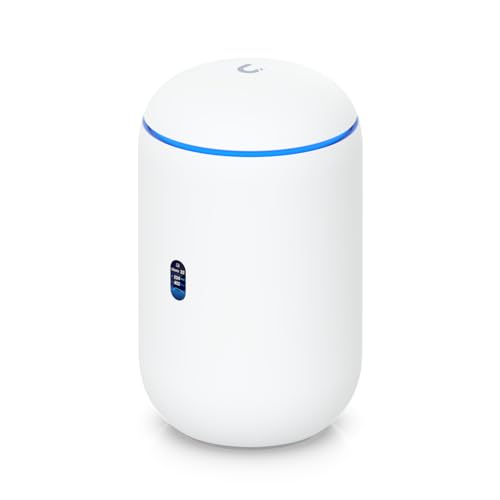
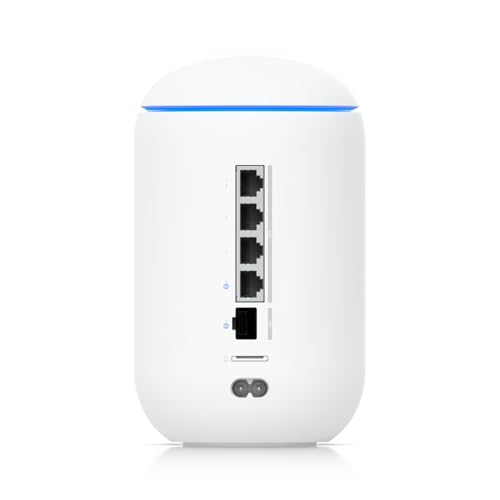
The hardware that matters (short table)
| Item | Why it matters |
|---|---|
| Wi‑Fi 7 radio | Faster PHY, lower latency, better multi‑device handling — future‑proofing your home network |
| 10G SFP+ WAN | Great for connecting to a 2.5–10 Gbps uplink or a NAS/home lab |
| PoE ports | Power access points or cameras without extra injectors |
| microSD | Local storage for security recordings or backups |
Wi‑Fi 7 explained — no PhD required
Wi‑Fi 7 is the next step after Wi‑Fi 6/6E. In plain terms, it gives you higher peak speeds, smarter ways to share the radio between devices, and lower lag when multiple things are talking at once (streaming, gaming, video calls). It won’t instantly make an old phone faster — but when you buy newer devices they’ll be able to use the extra capacity. If you like the idea of your home network being ready for the next few years, this is a sensible choice.
Ports, PoE, and expandability — the real home‑lab perks
- A single 10G SFP+ WAN port gives you a direct line to fast storage or a fiber uplink.
- Multi‑gig LAN helps when you’re moving large files to a NAS or streaming multiple 4K feeds.
- PoE support means you can power PoE cameras or APs without extra adapters.
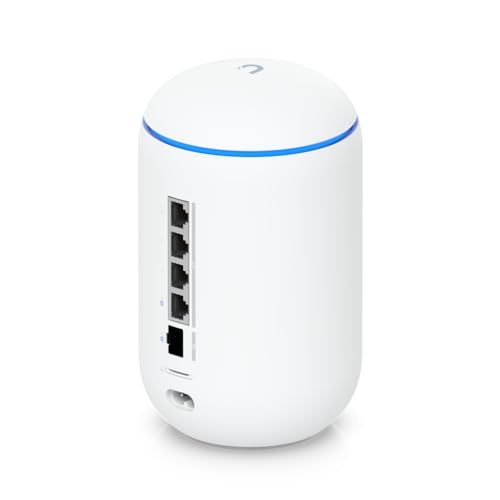
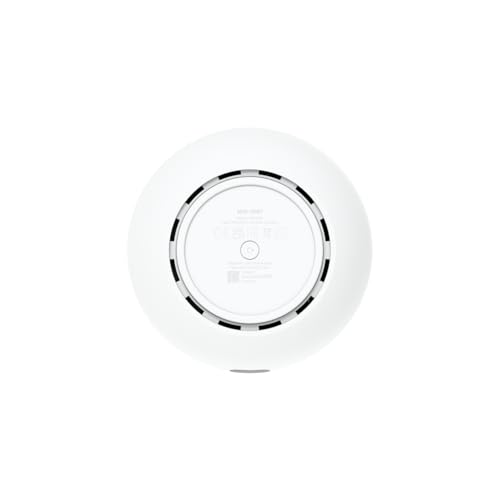
Setup and everyday use — what to expect
The device runs UniFi OS and the UniFi app. If you’ve used Ubiquiti gear before, it will all feel familiar; if you’re new, expect a small learning curve that pays off with powerful features. Here’s what you’ll do first:
- Adopt the device into UniFi OS via the mobile app or web console.
- Configure WAN (10G SFP+ or Ethernet) and set up VLANs if you need them.
- Add UniFi Protect cameras or UniFi Access locks as you like.
- Schedule firmware updates and check device insights from a single pane.
Who should buy this — and who should wait
- Buy it if you want a single compact box that handles Wi‑Fi, routing, PoE devices, and UniFi apps without a separate server.
- Hold off if you’re looking for the cheapest router for casual browsing, or if you need server‑grade redundancy and rackmount gear (this is a desktop device).
Final thoughts — short and honest
You’re getting a forward‑looking, capable gateway that favors performance and expandability over simplicity. If you enjoy tinkering or want a robust base for cameras, smart locks, and a home lab, this gives you modern Wi‑Fi and fast wired connectivity in one neat package. If you prefer plug‑and‑play and never touch settings, you may find the UniFi ecosystem a little more hands‑on than other consumer routers.
Where to Buy UDR7: Best Deals & Stock


FAQs
Is Wi‑Fi 7 worth buying right now?
Wi‑Fi 7 brings real technical improvements (higher peak speeds, better multi‑device handling), but you’ll only see the full benefits as more Wi‑Fi 7 devices arrive. If you want a future‑proof router and plan to keep it for several years, it’s a good buy. If you only have older phones and devices, a Wi‑Fi 6 router will still serve you well today.
Do I need a 10G internet connection to use the 10G SFP+ port?
No. The 10G SFP+ port is useful for connecting to a fast local NAS, a home lab switch, or a fiber modem that supports 10G. You won’t get faster internet unless your ISP provides speeds above 1 Gbps, but local network transfers will definitely be quicker.
Can this replace a UniFi Dream Machine Pro (UDM‑Pro)?
It depends on your needs. The UDR7 is a compact all‑in‑one for home and small labs with Wi‑Fi built in, while the UDM‑Pro is rackmount and more aimed at prosumers with more storage and rack infrastructure. If you need rackmount features and many ports, choose the UDM‑Pro; if you want modern Wi‑Fi plus a neat desktop gateway, the UDR7 is a great alternative.
How hard is UniFi OS to learn if I’m new to networking?
There’s a learning curve, but UniFi OS is well documented and the app guides you through basic setup. You’ll pick up essentials like guest networks, basic firewall rules, and device adoption in an afternoon. If you’re nervous, start with the app’s defaults and tweak one thing at a time.
Will the UDR7 power my PoE cameras and access points?
Yes — it has PoE-capable ports for powering devices, but check the power budget and port specs before connecting many high‑draw devices. For numerous cameras or high‑power APs, you might still want a larger PoE switch.



I grabbed one last week after reading this review. First impressions:
– Setup took longer than my old consumer router but nothing crazy.
– 10G SFP+ as WAN is glorious — finally getting full multi-gig to my lab.
– Wi‑Fi 7 speeds are impressive on a compatible laptop, though range is similar to Wi‑Fi 6 in my house.
– UniFi app is powerful but hides some advanced options that I wanted quick access to (had to dig into the web UI).
Overall: great for power users and small labs, might be overkill for a simple apartment.
You can also add cheaper UniFi APs rather than buying multiple UDR7s — better bang for coverage.
Range for a single UDR7 is comparable to a high-end Wi‑Fi 6 router; for full 2‑story coverage you’d likely want additional APs or a mesh setup. The UDR7 can integrate into a UniFi mesh, but that adds complexity.
Thanks all — I ended up adding a U6-LR for upstairs and it’s been fine. The UDR7 as controller + gateway feels slick once you get used to it.
How’s the range compared to a mesh system? I’m in a 2-story house and worried one unit won’t cut it.
If you care about upstairs bedrooms, definitely plan for an AP. This little box is powerful but not a miracle worker for large homes.
Nice write-up — been waiting to see hands-on takes for a while.
I love that it packs Wi‑Fi 7 and a 10G SFP+ option into a small desktop box.
My main concern is whether it can actually handle a bunch of smart cameras + a few NAS backups without getting flaky.
Also, is the learning curve for UniFi still as steep as it used to be? I’m not super technical.
Small typo in the spec section btw: ‘UDDP’ OS? maybe Ubiquiti meant ‘UDDP’ as listed, but curious if it’s fully featured.
$279 for Wi‑Fi 7 + 10G sounds like a steal until you remember you still have to configure everything. 🤣
Anyone tried it with gaming QoS? I want to know if it actually prioritizes latency-sensitive stuff or if that’s just marketing.
I tested QoS on a Ubiquiti router (not the UDR7) and you can get decent results if you set it up right. It’s not plug-and-play for gaming, you’ll need to tweak rules.
Good question — in our testing the UDR7’s traffic shaping and QoS can reduce jitter for gaming, but it requires manual tuning in the UniFi interface for best results. If you’re not comfortable, start with the preset profiles and adjust from there.
Solid review. A few thoughts:
1) For folks running a small home lab, the 10G SFP+ is the real winner here. You can use it as a WAN or a LAN uplink which is sweet.
2) The device size and weight make it great for a desk, but ventilation seemed a little tight in my experience with other mini gateways — watch temps if you’re stacking devices.
3) The expert verdict mentioning a learning curve is accurate — expect to read the docs.
Would like to see longer-term stability tests though; early firmware can be hit-or-miss.
Do you have any temp numbers? Curious if it throttles under sustained 5–8Gbps traffic.
Agree on the 10G being the killer feature for labs. I run a small Proxmox cluster and the SFP+ uplink saved me a lot of headache.
Thanks Sophie — we plan to follow up with long-term firmware stability updates as Ubiquiti releases revisions. Good point about ventilation; the unit does get noticeably warm under sustained heavy throughput.
Fun fact: my neighbor thought “Wi‑Fi 7” meant 7x faster than Wi‑Fi 6 and was shocked when I explained it’s not linear 😂
Serious note: does the Dream Router lock you into UniFi cloud or can you run it fully locally? I like cloud features but prefer local control for privacy.
Also, any word on VLAN handling? I want to segment IoT cameras from my home lab and keep it simple.
You can run the UDR7 locally — UniFi offers both local and cloud-managed options. VLANs are supported in the UniFi interface (networking > VLANs), and you can create isolated networks for IoT and labs. It’s straightforward once you learn the interface.
I run mine fully local. The cloud is optional; I just use local credentials and the UniFi controller on a tiny VM. VLANs worked well for my cameras.
Pro tip: document your VLAN IDs and firewall rules in a text file. The UniFi UI is friendly but migrating configs can get hairy if you forget details.
Awesome, thanks! That’s exactly what I needed to hear. Might pull the trigger this weekend. 🙂
Pretty tempted. Quick Q: any known compatibility issues with third-party SFP+ modules? I have a few laying around.
Some third-party SFP+ modules work, but Ubiquiti tends to be picky — we recommend using tested modules or checking Ubiquiti forums for specific part numbers to avoid link flapping.