
What The Heck Is Wi-Fi 6E?
If you thought Wi-Fi 6 was the shiny new thing, hold on to your router — because Wi-Fi 6E is here, and it’s basically Wi-Fi 6 on steroids. Let’s break it down without melting your brain.
🧩 Why the 6 GHz Band Matters
The old Wi-Fi bands (2.4 and 5 GHz) are crowded — think rush hour traffic with too many cars. The 6 GHz band gives us 14 extra 80 MHz channels and 7 extra 160 MHz channels. That’s like opening a brand-new highway next to the jammed-up freeway.
👉 Translation: Less interference, smoother streaming, and way better for things like AR/VR, 4K/8K streaming, and online gaming.
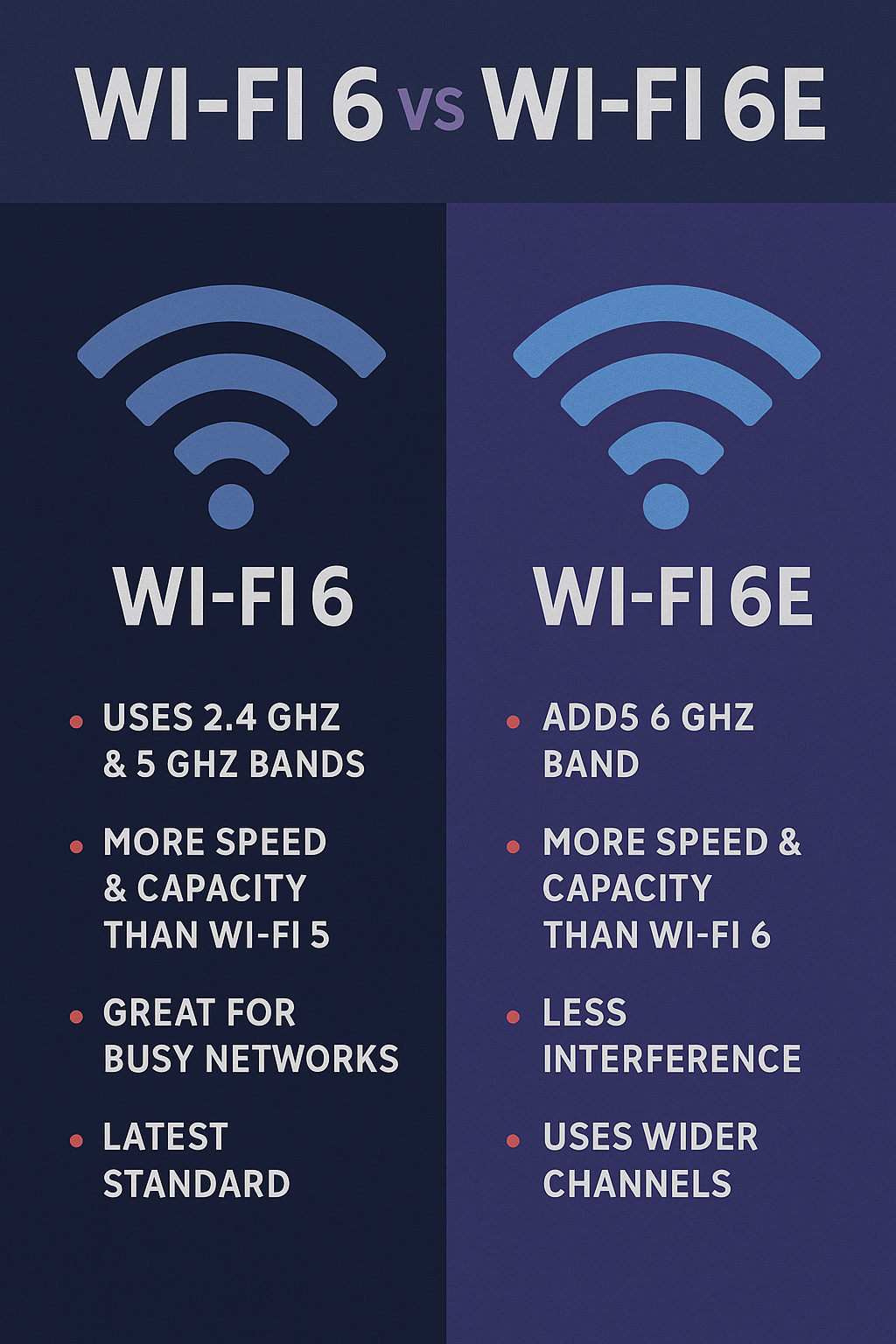
🚀 Wi-Fi 6 vs Wi-Fi 6E (Quick Hits)
- Wi-Fi 6 = 2.4 GHz + 5 GHz → the classic two-lane highway.
- Wi-Fi 6E = 2.4 GHz + 5 GHz + 6 GHz → brand-new, empty express lane just opened.
- More lanes = less traffic, faster speeds, lower lag.
- Perfect for homes stuffed with smart gadgets, streamers, and gamers.
💡 In plain English: Wi-Fi 6E adds a whole new frequency band (6 GHz) that’s like a secret VIP room — clean, wide-open, and super fast… but only if your devices can get past the bouncer.
📊 Wi-Fi 6 vs Wi-Fi 6E Comparison
| Feature | Wi-Fi 6 | Wi-Fi 6E |
|---|---|---|
| Frequency Bands | 2.4 GHz & 5 GHz | 2.4 GHz, 5 GHz & 6 GHz |
| Speed Potential | Up to ~9.6 Gbps | Up to ~9.6 Gbps (but more consistent thanks to 6 GHz) |
| Congestion | Can be crowded (lots of devices on 2.4/5 GHz) | 6 GHz band is wide open, way less interference |
| Latency | Low compared to older Wi-Fi, but can still spike on busy channels | Even lower latency → smoother gaming, AR/VR, video calls |
| Range | Stronger on 2.4/5 GHz through walls | 6 GHz is faster but doesn’t travel as far |
| Device Support | Works with Wi-Fi 5/6 devices | Needs Wi-Fi 6E-capable devices to use 6 GHz |
| Best Use Cases | Everyday streaming, smart home, remote work | High-bandwidth needs: 4K/8K streaming, gaming, AR/VR, multi-device homes |
| Future-Proofing | Great for now, but limited to 2.4/5 GHz | Built for the future → takes advantage of new devices and less crowded spectrum |
📱 5 Real-World Devices That Support Wi-Fi 6E
If you’re wondering, “Cool, but does anything even use this yet?” — here are five popular devices already rocking Wi-Fi 6E:
- Samsung Galaxy S23 Ultra – flagship phone with Wi-Fi 6E baked in.
- Google Pixel 7 Pro – smooth Android experience with 6 GHz support.
- Apple iPad Pro (2022, M2 chip) – finally, an Apple device that joins the 6E party.
- Meta Quest 3 VR Headset – Wi-Fi 6E means wireless VR that doesn’t stutter.
- Dell XPS 15 (2023 model) – powerhouse laptop with Wi-Fi 6E card for work + play.
💡 More laptops, tablets, and smart home devices are shipping with Wi-Fi 6E each year, so it’s not just for early adopters anymore.
🏠 Should You Upgrade to Wi-Fi 6E?
- Big home? Yes, especially if you’re already using mesh Wi-Fi.
- Lots of gamers or streamers? Absolutely. That low-latency 6 GHz band is gold.
- Only check email and scroll Facebook? You can chill with Wi-Fi 5 or Wi-Fi 6 for now.
💡 The main catch: both your router AND your devices need Wi-Fi 6E to use the 6 GHz lane. If your phone or laptop doesn’t support it, you’ll still be riding on the 2.4/5 GHz lanes.
📋 Quick Checklist (WiFi Guy Style)
- ✔️ Router supports Wi-Fi 6E (AXE or “6E” in the name).
- ✔️ Devices support 6E (check specs before buying).
- ✔️ Placement matters → still keep routers central/high.
- ✔️ Backward compatible → old devices still connect, just not at 6E speeds.
🔝 Top WiFi 6E Routers
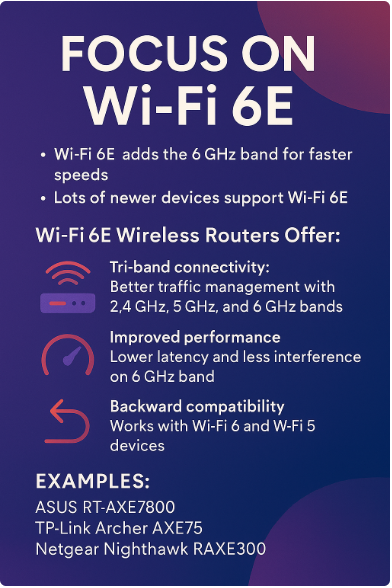
These are stand-alone routers (not mesh kits) that deliver on performance, especially if you have 6E devices, high speed internet, or want future-proofing.
- ASUS RT‑AXE7800 Tri‑Band WiFi 6E Router — Premium build + great feature set. Strong 6 GHz performance, 2.5 Gbps port, solid for homes with mixed use (streaming, gaming, work).
- TP‑Link Archer AXE75 Tri‑Band WiFi 6E Router — More affordable 6E tri-band. Good value, great for folks wanting 6E without the flagship price.
- Linksys Hydra Pro 6E Router — A gaming-friendly lean router. More LAN ports, better antenna design, focused on performance with newer devices.
- TP‑Link Archer AXE5400 Router — “Mid-price” 6E. Good speeds, decent coverage, great for those who want 6E but don’t need all the bells and whistles.



🧩 Top WiFi 6E Mesh Systems
For whole-home coverage, or large/complex layouts, mesh systems with 6E are where things shine. Less dead zones, more seamless roaming.
- Google Nest WiFi Pro – Wi-Fi 6E Mesh System
Highlights: Sleek design, simple app, strong 6E support, solid coverage for midsize homes. - Eero Pro 6E Tri‑Band Mesh System
Highlights: Known for reliable mesh tech + good hardware. If you want easy setup + performance, this one’s a top pick. - TP‑Link Deco XE75 Pro AXE5400 (3‑pack)
Highlights: Strong coverage (~7,200 sq ft in many installs), 6E band helps with congestion. Good value for large homes. - ASUS ZenWiFi ET9 Tri‑Band Mesh 6E System (3‑pack)
Highlights: Premium build, many ports, strong wired connectivity, powerful control features.



⚡WiFi Guy’s Take
Wi-Fi 6E isn’t some marketing gimmick. It’s the real deal for homes overloaded with devices. By adding the 6 GHz band, it clears out congestion and gives your gadgets room to fly. Early on, only a few high-end devices supported it, but now more everyday laptops, tablets, and even VR headsets are rolling it in.
Wi-Fi 6E is like upgrading from a two-lane country road to a multi-lane expressway. Not everyone needs it today, but if you’re buying a new router, it’s a no-brainer to future-proof your home. The 6 GHz band is where Wi-Fi is headed — and it’s nice to be in the fast lane before everyone else merges in.
❓ Wi-Fi 6E FAQ
Q: Is Wi-Fi 6E faster than Wi-Fi 6?
👉 Yep — same tech, but the 6 GHz band is wide open. Think less interference = more consistent top speeds.
Q: Do I need all new devices?
👉 Nope. Your old stuff still connects fine on 2.4/5 GHz. But only Wi-Fi 6E devices can ride the 6 GHz lane.
Q: What’s the range like?
👉 6 GHz doesn’t travel as far as 2.4 GHz, but that’s what mesh Wi-Fi systems are for. Multiple nodes fix the range issue.
Q: Is it worth the upgrade right now?
👉 If you stream, game, or work from home — yes. If you’re just checking email — not urgent.
Q: How do I know if my router is Wi-Fi 6E?
👉 Look for “AXE” in the model number (like AXE5400 or AXE11000). If it just says “AX,” that’s Wi-Fi 6.🎯 WiFi Guy’s Take
More Wi-Fi 🧠 Brainiac Articles
Routers With High-End Security And Easy VLAN Support
These Wi-Fi 7 Mesh Bullies Crush Dead Zones

Start Your Smart Home Off Right With These 3 Top Smart Hubs
Find Your Perfect VPN Wireless Router — Easy Picks

Serious Security For Your Home Network

Wi-Fi Extender Face-Off: TP-Link RE600X vs Netgear EAX15
Home Network Engineer Course
✅ You’ll Be Able To:
- Fix Wi-Fi and device problems fast – Know what’s wrong and how to handle it
- Speed up your connection – Boost coverage, kill lag, and reduce dropouts
- Lock it down – Protect your network from freeloaders and shady devices
- Upgrade with confidence – Know what gear to get (and what to skip)
- Stop second-guessing yourself – Never be scared of a blinking router again

Last update on 2026-01-18 at 19:21 Affiliate links and Images from Amazon Product Advertising API


