Why Router Speeds on the Box Are (Mostly) Marketing Magic
Alright, let’s clear up one of the biggest Wi-Fi myths on planet Earth:
The giant Mbps number on the router box is NOT the speed you’re going to get on a single device. Not even close.
Those numbers (AC1200, AX3000, AX6000, etc.) look impressive — but they’re basically Wi-Fi fairy tales.
Let’s break this down the WiFi Guy way.
1. That Big Number on the Box? It’s Just the “Total Highway System,” Not Your Lane.
Imagine your Wi-Fi router as a massive highway with multiple lanes.
- You’ve got the 2.4 GHz highway
- You’ve got the 5 GHz highway
- On Wi-Fi 6E or Wi-Fi 7, you even get a 6 GHz super-highway
Now here’s the trick:
The number on the box = ALL the lanes added together.
NOT the speed of the lane you’re actually driving on.
Example:
AC1200 router
- 2.4 GHz band: 300 Mbps
- 5 GHz band: 900 Mbps
Total: 1200 Mbps (300 + 900 = 1200)
But you — your phone, laptop, tablet — can only drive on ONE of those highways at a time.
So the maximum your device could ever see is 900 Mbps, not 1200.
And that’s in a perfect universe with unicorns and zero interference.
2. Real Life Is Not a Lab — Here’s Why You Get Way Less Speed
The speed printed on the box is the theoretical maximum in a lab, with:
- No walls
- No appliances
- No neighbors
- No interference
- No other devices
- Zero real-world physics
In your house, Wi-Fi gets slowed down by:
🧱 Walls & Floors
Wi-Fi hates walls… especially the thick ones.
📡 Interference
Microwaves, Bluetooth, your neighbor’s Wi-Fi — they’re all screaming on the same frequencies.
📏 Distance
Farther from the router = weaker signal = slower speed.
🔐 Wi-Fi Overhead
Part of the bandwidth is used for network admin stuff — handshakes, encryption, traffic management.
📱 Your Device’s Wi-Fi Hardware
Even if you buy a $500 spaceship router…
Your phone might only support a fraction of that speed because it’s rocking tiny antennas.
3. The Part Nobody Tells You: Your Device Can Only Use 1–2 “Data Pipes” Anyway
This is the spatial streams secret.
Your router might brag about being:
- 4×4
- 8×8
- 12 streams!!
- “High-Power Turbo Beamforming Dragon Mode Ultra Stream JetPack Edition”
Cool.
But your phone?
Yeah… it’s a 1×1 or 2×2 device.
Meaning:
Your device can only use 1 or 2 of the router’s data pipes at a time.
Most phones/tablets → 1×1 or 2×2
Most laptops → 2×2
High-end laptops → maybe 3×3 (rare)
So even if your router has eight data streams, your phone can only drink from one or two of them.
That alone cuts your real-world speed down dramatically.
4. So Why Do Routers Have So Many Streams?
Because routers aren’t trying to make your device fast — they’re trying to make the whole house run smoothly.
Extra streams let the router use MU-MIMO, which means:
It can talk to multiple devices at the same time instead of making them wait in line.
Example:
A 4-stream router can do:
- 4 phones at 1 stream each, simultaneously, or
- 2 laptops at 2 streams each, simultaneously, or
- 1 laptop (2 streams) + 2 phones (1 stream each), at the same time
- This makes the whole network feel faster…
even though no single device gets anywhere near the number on the box.
5. So What’s the Big Picture?
Here’s the blunt truth:
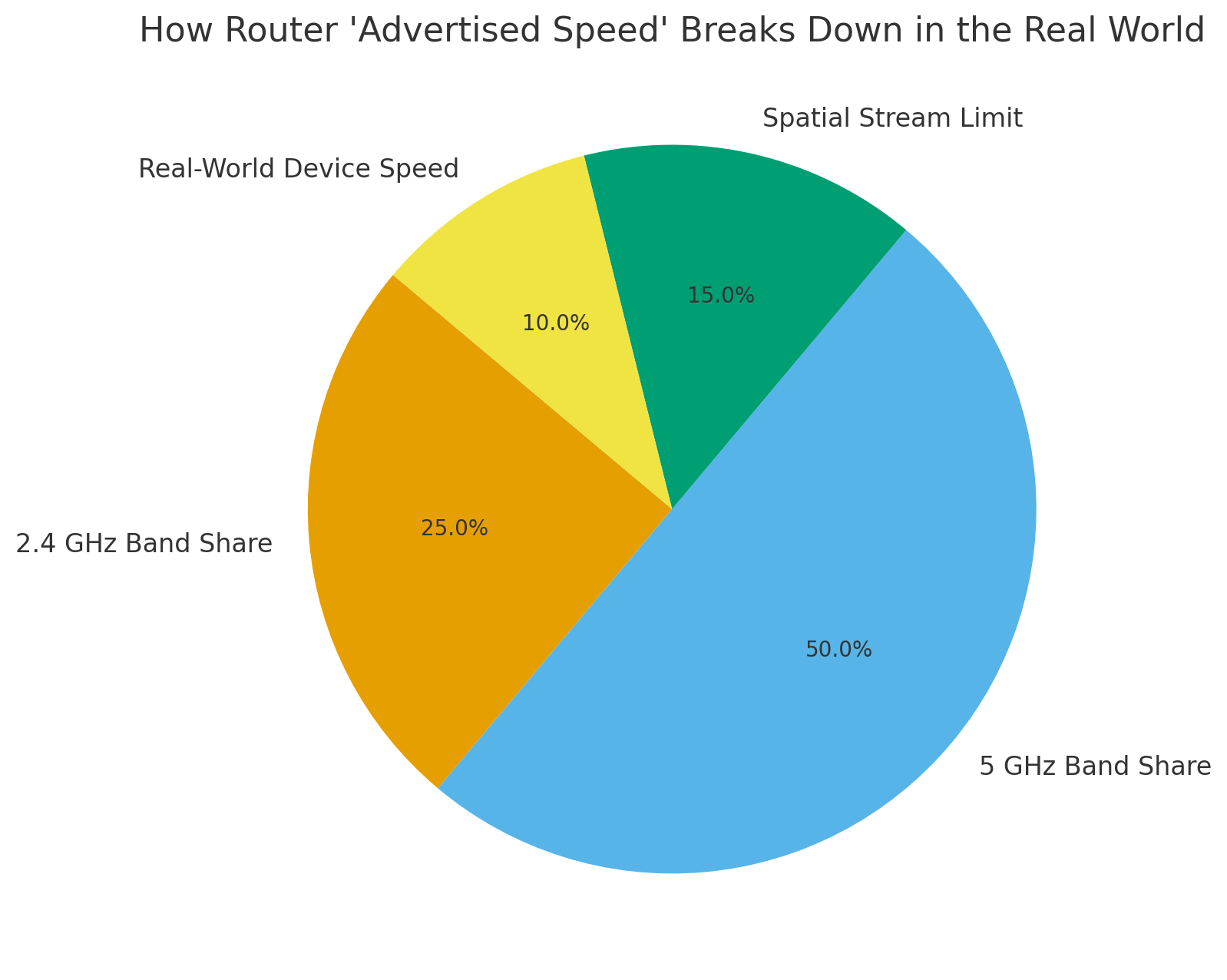
**The number on the box = the router’s “total power.”
Not the speed of your phone, laptop, or TV.**
Your single device always gets:
- Only one band (2.4, 5, or 6 GHz)
- Only 1–2 spatial streams
- With real-world interference
- Using only a slice of the router’s total capacity
That huge Mbps number is the router’s résumé… not your device’s paycheck.
The upside?
A bigger “total number” does help your house if:
- You’ve got lots of devices
- People are streaming, gaming, Zooming
- Smart home devices fill your network
- You want things to run smoothly at the same time
🕯 WiFi Guy Summary
✔️ The big number on the router box is a marketing total, not your device speed.
✔️ Your device only uses one band and usually one or two data streams.
✔️ Real-world stuff (walls, distance, interference) lowers your actual speed.
✔️ High-rated routers are still valuable because they handle more devices better, not because they give one device “6000 Mbps.”
More Wi-Fi 🧠 Brainiac Articles!

WiFi Guy’s World

400-Dollar Smart Home Setup For Renters
pcWRT PW-AX1800 Wi‑Fi 6 VPN Mesh Router — High Security at a Low Price
Routers With High-End Security And Easy VLAN Support
These Wi-Fi 7 Mesh Bullies Crush Dead Zones

Start Your Smart Home Off Right With These 3 Top Smart Hubs
Home Network Engineer Course
✅ You’ll Be Able To:
- Fix Wi-Fi and device problems fast – Know what’s wrong and how to handle it
- Speed up your connection – Boost coverage, kill lag, and reduce dropouts
- Lock it down – Protect your network from freeloaders and shady devices
- Upgrade with confidence – Know what gear to get (and what to skip)
- Stop second-guessing yourself – Never be scared of a blinking router again